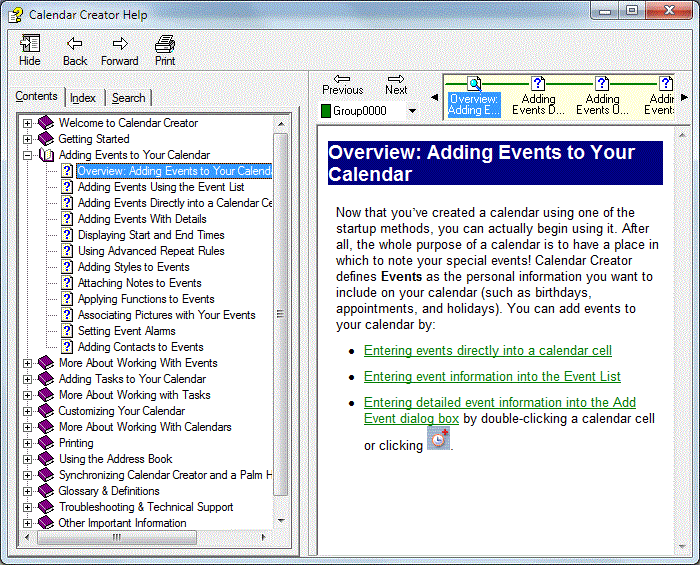
I am trying to learn to use CC V12 and find it is very confusing!
I haven’t use CC software for a number of years, because I couldn’t get my old DOS ver to transfer to the windows version and then Win7 came along and nothing would work. So I bought CC V12 and figured I would have to start all over enter all the events! This has turned out to be very confusing!
They talk about calendars and collections and I can’t figure it out. I’m used to creating groups of events and then selecting which groups I wanted to add to print a calendar. Ie I had birthday files for various families and then if I only wanted to create a calendar for just my side of the family tree I could do it. and if I wanted both my family and my wife’s family together I could do it using overlays.
This version I seem to create event list separately but can only save calendar collections as one file.
Where can I find overview information for this software?
The help files says one thing but the software doesn’t have what they say to do available. Almost like it is outdated.
Called Encore Support and he sent me an email that says to go to the Calendar Creator Hub and it will tell you! Took me a while to find what they consider the Hub! Clicked on that in the help search and it gave this to me:
The Help Center contains printable tutorials that help you get the most out of Calendar Creator. The tutorials guide you step-by-step through each topic. They also help you learn how to use the newest features of Calendar Creator. To access the Help Center tutorials, follow these steps.
Do one of the following:
From the Calendar Creator Hub, click the Help Center button.
In the workspace, choose Help Center from the Help menu.
The Calendar Creator Help Center dialog box displays.
Click The Calendar Creator Tutorials button. There is no such button!
The Calendar Creator Design Center Tutorials dialog box displays.
Click on a topic from the Select a Topic list box to display the tutorial.
The Print button prints the HTML tutorial.
When finished with a tutorial, you can select another one to view by repeating step 3 above.
Click the Cancel button in the Help Center to close it.
I’m very frustrated with this software!!!
What do you suggest?
Mel