I recently purchased Print Master Platinum v7.I need to make headlines with all caps but i need only the first letter to be taller than the rest of each of the words and then add a shape to it.
Make a separate headline for the first letter, so that you can adjust it on its own.
Thank you for your reply. I tried that and this is what happened.
[image]local://upfiles/27057/5D73834586F94C11BB0FE02195267315.jpg[/image]

Rotate the last letters a bit clockwise; the first letter a bit counter-clockwise. Don’t add a shape to the first letter.
Do you want a double wave or the whole thing to be on the same curve?
This is how I need it to look. I need it all on the same curve.
[image]local://upfiles/27057/F5718866E45A402AA7E20939E27D59DF.jpg[/image]

I think you will need to find a font that is all caps like Birmingham-Caps, which makes “capital” letters bigger. Headlines doesn’t allow different font sizes within the same box.
[image]local://upfiles/9017/0665609F66814F2CAAD6D17C55CC422E.jpg[/image]
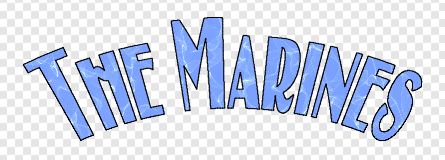
Awesome. Thank you very much for your help.
You’re welcome. If you have Photo Shop Elements, this program can apply different sizes to each letter, then curve the entire text box.
I will look into that. Thanks again.