I am trying to create a large poster in Print Shop by taking a jpeg and printing it across four pages.
Does anyone have an idea on how to do this?
Thanks,
Mike
How to print posters (using multiple sheets of paper) is described here:
http://printshop.com/blog/2014/11/1/poster-printing.aspx
I forgot there are a plethora of versions. My version is Print Shop for Mac Encore Version1.02.234.
The screen looks slightly different there is no output size box. I just can not seem to make it print multiple pages…
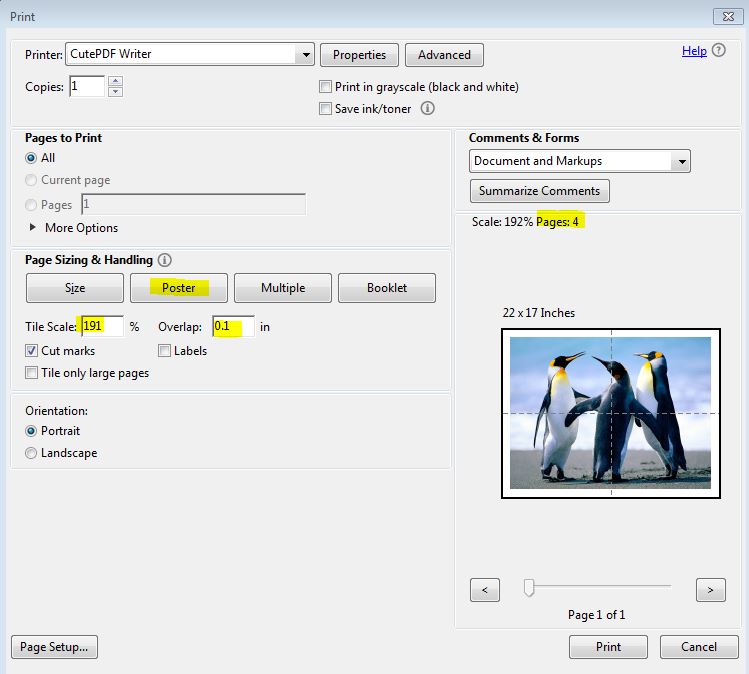
I don’t know about the Mac version, but you can do a work around using Adobe Reader. Save your jpeg as a PDF and open that in Adobe Reader. Using Reader’s print options (Poster), you can print your image rescaled onto multiple sheets. Choose your overlap size then adjust your scaling until your image fits well onto 4 pages.
[image]local://upfiles/72/9EAD6AE3C72149DDB46E78318F449F9F.jpg[/image]